Quick Answer
Organizing important documents starts with sorting them into clear categories, removing unnecessary paperwork, storing originals in a secure place, and keeping digital backups of essential files. A simple filing system makes documents easier to find, reduces stress during emergencies, and helps you stay prepared for important life events.
Is This You?
Have you ever spent hours searching for an insurance paper before an appointment?
Or maybe you’ve looked everywhere for your passport the night before a trip.
Perhaps your important paperwork is scattered across kitchen drawers, old folders, filing cabinets, and random envelopes.
You’re not alone.
Many people don’t think about organizing important documents until they urgently need one. Unfortunately, that’s often the worst possible time to discover that something is missing.
Whether it’s tax documents, medical records, property papers, warranties, or birth certificates, having a reliable organization system can save you time, reduce stress, and give you peace of mind.
The good news is that you don’t need an expensive filing cabinet or complicated software. With the right system, you can organize everything in just a few hours and keep it that way for years.
In this guide, you’ll learn a simple method that helps you organize important documents, protect sensitive information, and quickly find what you need whenever life calls for it.
At a Glance
| Topic | Details |
|---|---|
| Difficulty | Easy |
| Time Required | 2–4 hours for initial setup |
| Best For | Individuals, couples, families, homeowners, renters |
| Main Goal | Create an organized document system that’s easy to maintain |
| Best Method | The SmartHelpHub SAFE Filing Method |
| Recommended Review | Once every year |
Why This Guide Is Different
Many articles simply tell you to “buy folders” or “use a filing cabinet.”
That advice isn’t enough.
This guide focuses on building a practical system that helps you:
- Find documents in minutes instead of hours.
- Protect sensitive information from loss or damage.
- Know exactly which documents deserve long-term storage.
- Keep digital copies securely backed up.
- Stay prepared for emergencies without unnecessary stress.
Instead of organizing papers randomly, you’ll create a system that’s simple enough to maintain and flexible enough to grow with your life.
Table of Contents
- Why Organizing Important Documents Matters
- Which Important Documents Should You Keep?
- The SmartHelpHub SAFE Filing Method
- How to Create a Simple Filing System
- Physical vs Digital Storage
- How to Build an Emergency Document Folder
- Common Mistakes That Make Finding Documents Difficult
- Annual Document Review Checklist
- Frequently Asked Questions
- Final Thoughts
Before You Start
There’s one important mindset shift that makes organizing documents much easier.
Don’t organize papers based on where they are now.
Instead, organize them based on when you’ll need them.
Ask yourself:
- Will I need this document regularly?
- Is this something I must keep permanently?
- Can I safely store a digital copy instead?
- Would someone else know where to find this if I were unavailable?
Thinking this way helps you build a system that’s practical rather than just neat.
By the end of this guide, you’ll have a clear plan for organizing your important documents so they’re secure, easy to access, and never lost in a pile of paperwork.
Why Organizing Important Documents Matters
It’s easy to ignore paperwork until you suddenly need it.
Whether you’re applying for a loan, filing taxes, visiting a doctor, selling your home, or handling an unexpected emergency, being able to find the right document quickly can save you time, money, and unnecessary stress.
Many people store documents wherever there’s space—a kitchen drawer, an old envelope, a random folder, or a pile on a desk. Over time, papers become mixed together, outdated documents accumulate, and finding one important record can turn into a frustrating search.
Creating a simple document organization system helps you stay prepared for life’s everyday tasks as well as unexpected situations.
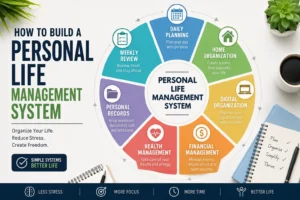
Building a reliable filing system becomes even easier when it’s part of a bigger life organization strategy. How to Build a Personal Life Management System That Actually Works explains how document organization fits into managing your daily responsibilities, finances, health, and personal records.
Benefits of Organizing Important Documents
✔ Save time by finding documents within minutes.
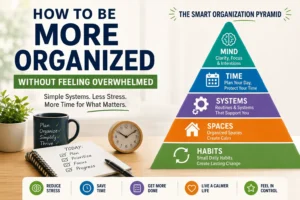
Staying organized isn’t just about paperwork. If your entire home and schedule feel chaotic, Easy Ways to Stay Organized When Life Feels Overwhelming shares practical habits that can help you create order one step at a time.
✔ Reduce stress during emergencies.
✔ Protect valuable records from damage or loss.
✔ Avoid missing deadlines for taxes, insurance, or renewals.
✔ Help family members locate important information if needed.
✔ Prevent identity theft by storing sensitive documents securely.
✔ Eliminate unnecessary paper clutter.
Think of document organization as an investment. Spending a few hours setting up a system today can save countless hours—and headaches—in the future.
Signs Your Documents Need Better Organization
You may benefit from a better filing system if you:
- Spend more than five minutes searching for important paperwork.
- Keep documents in multiple locations around your home.
- Don’t know which papers should be kept permanently.
- Have unopened envelopes mixed with old records.
- Store passwords or account details on random sticky notes.
- Worry that family members wouldn’t know where important documents are.
- Have never reviewed your paperwork in the last few years.
If any of these sound familiar, you’re not alone. The good news is that organizing documents doesn’t require perfection—it just requires a simple, consistent system.
Which Important Documents Should You Keep?
One of the biggest mistakes people make is keeping everything.
The second biggest mistake is throwing away something they later need.
Instead of saving every piece of paper, focus on keeping documents that are legally important, financially valuable, medically relevant, or personally meaningful.
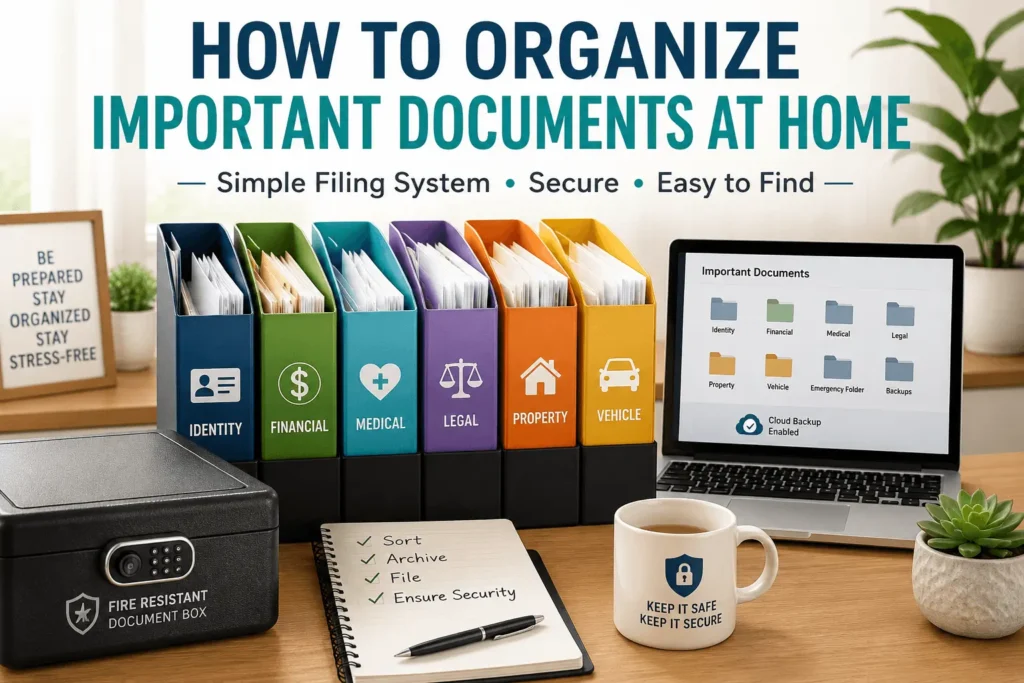
The easiest way is to organize them into categories.
1. Identity Documents
These prove who you are and should be stored securely.
Examples include:
- Birth certificate
- Passport
- Driver’s license
- National or state identification card
- Social Security or equivalent identification documents (where applicable)
- Marriage certificate
- Divorce papers
- Name change documents
Storage Tip: Keep originals in a waterproof and fire-resistant location, with secure digital copies stored separately.
2. Financial Documents
These help you manage your finances and may be required for taxes, loans, or insurance claims.
Examples include:
- Tax returns
- Bank account information
- Investment records
- Loan documents
- Mortgage paperwork
- Insurance policies
- Retirement account statements
- Pension information
Review these documents annually and securely dispose of outdated records that no longer need to be kept.
3. Medical Documents
Keeping your medical information organized can save valuable time during appointments or emergencies.
Examples include:
- Vaccination records
- Medical history
- Prescription information
- Allergy information
- Health insurance cards
- Laboratory reports
- Surgical records
- Emergency contact information
If you manage healthcare for children or older family members, create separate folders for each person.
4. Property Documents
Whether you own or rent, property-related paperwork should be easy to locate.
Examples include:
- Property deeds
- Lease agreements
- Home purchase documents
- Renovation records
- Warranty certificates
- Appliance manuals
- Home insurance policies
Keeping these together makes maintenance, insurance claims, and future sales much easier.
5. Vehicle Documents
If you own a vehicle, create a dedicated folder containing:
- Registration papers
- Insurance documents
- Purchase agreement
- Maintenance records
- Service history
- Warranty information
A complete maintenance history can also increase your vehicle’s resale value.
6. Legal Documents
These are some of the most important papers you’ll ever own.
Examples include:
- Will
- Power of attorney
- Living will or healthcare directive
- Trust documents
- Court orders
- Adoption papers
- Guardianship documents
These should always be stored securely, and trusted family members should know where to find them if necessary.
7. Education and Career Documents
These may be needed years after graduation or when applying for jobs.
Examples include:
- Diplomas
- Degree certificates
- Professional certifications
- Training certificates
- Employment contracts
- Performance reviews
- Resume copies
Many people underestimate how often these documents are requested later in life.
8. Family Records
Some documents have lasting personal value even if they’re rarely needed.
Examples include:
- Family photographs (digital backups recommended)
- Family tree records
- Military service records
- Awards and achievements
- Important letters
- Estate documents
Store sentimental items separately from everyday paperwork to avoid accidental damage.
Important Documents Checklist
| Category | Examples | Keep Original? | Keep Digital Copy? |
|---|---|---|---|
| Identity | Passport, Birth Certificate | ✅ | ✅ |
| Financial | Tax Returns, Insurance | ✅ | ✅ |
| Medical | Vaccination, Health Records | Optional | ✅ |
| Property | House Papers, Lease | ✅ | ✅ |
| Vehicle | Registration, Insurance | ✅ | ✅ |
| Legal | Will, Power of Attorney | ✅ | ✅ |
| Education | Degrees, Certificates | ✅ | ✅ |
| Family Records | Photos, Military Records | ✅ | ✅ |
Documents You Can Usually Discard
Not every piece of paper deserves permanent storage. Once you’ve confirmed they are no longer needed, you can generally recycle or securely shred items such as:
- Paid utility bills (unless needed for records or taxes)
- Expired warranties
- Outdated bank statements (if digital copies are available and sufficient)
- Duplicate copies
- Old instruction manuals (many are available online)
- Promotional mail and receipts that are no longer needed
- Expired insurance documents that have been replaced
Smart Tip: Always shred documents containing personal or financial information before disposing of them. This helps reduce the risk of identity theft.
Now that you know which documents to keep, it’s time to organize them into a system that you’ll actually use.
Many people fail because they make document organization too complicated. They buy expensive filing cabinets, dozens of folders, or complicated labeling systems that become difficult to maintain.
The best organization system is one that’s simple enough to use consistently.
That’s why SmartHelpHub recommends the SAFE Filing Method.
Instead of wondering where every document belongs, you’ll follow four simple steps every time you receive a new paper.
The SmartHelpHub SAFE Filing Method
The SAFE Filing Method helps you create a document system that’s:
- Easy to maintain
- Easy to understand
- Easy to expand
- Easy to find documents quickly
S — Sort
The first step is sorting every document into a clear category before deciding where to store it.
Avoid making decisions one paper at a time.
Instead, gather all your important documents in one place and group them by category.
For example:
Identity
- Passport
- Birth certificate
- Driver’s license
- Marriage certificate
Financial
- Tax returns
- Bank statements
- Insurance policies
- Investment documents
Medical
- Health insurance
- Vaccination records
- Medical reports
- Prescriptions
Property
- House documents
- Rental agreement
- Warranty papers
- Appliance manuals
Vehicle
- Registration
- Insurance
- Service records
Legal
- Will
- Power of Attorney
- Estate documents
Don’t worry about perfect organization at this stage.
Your only goal is to create logical groups.
Smart Tip: Use sticky notes or temporary labels while sorting. This makes it easier to adjust categories before creating permanent folders.
A — Archive
Once everything is sorted, decide which documents you actively use and which should be archived.
Many people make the mistake of keeping every document in the same folder.
That creates unnecessary clutter.
Instead, divide documents into three groups.
Active Documents
These are papers you may need throughout the year.
Examples:
- Current insurance policy
- Current lease
- Current vehicle registration
- Active warranties
- Current tax documents
Store these somewhere that’s easy to access.
Archived Documents
These are documents you rarely use but should keep.
Examples:
- Previous tax returns
- Old property records
- Past employment contracts
- Completed medical records
Store these separately from active documents.
You won’t need them often, but you’ll know exactly where they are if the need arises.
Documents You Can Safely Remove
Not every paper deserves long-term storage.
Examples include:
- Duplicate copies
- Expired warranties
- Outdated statements
- Old utility bills (unless needed)
- Advertising mail
- Empty instruction manuals that are available online
Removing unnecessary paperwork makes your filing system much easier to manage.
F — File
Now it’s time to build your filing system.
Remember:
Your filing system should make sense to you, not just look organized.
A simple structure works best.
Example:
Important Documents

├── Identity
│   ├── Passport
│   ├── Birth Certificate
│   └── Marriage Certificate

├── Financial
│   ├── Taxes
│   ├── Insurance
│   └── Banking

├── Medical
│   ├── Health Records
│   ├── Vaccinations
│   └── Prescriptions

├── Property
│   ├── House
│   ├── Warranty
│   └── Appliances

├── Vehicle
│   ├── Registration
│   ├── Insurance
│   └── Maintenance

└── Legal
    ├── Will
    ├── Estate
    └── Contracts
Whether you use physical folders or digital folders, keep the structure consistent.
The easier it is to understand, the more likely you’ll keep using it.
Label Everything Clearly
Avoid labels like:
❌ Miscellaneous
❌ Other
❌ Random Papers
❌ Important Stuff
Instead, use labels that immediately tell you what’s inside.
Good examples include:
- Passport
- Insurance
- Taxes
- Medical Records
- Property Documents
- Vehicle Records
- Education Certificates
Specific labels reduce confusion and save time.
E — Ensure Security
Organizing documents isn’t just about finding them quickly—it’s also about protecting them.
Some documents are difficult or expensive to replace.
Others contain sensitive personal information.
Protect them by taking a few simple precautions.
For Physical Documents
- Store originals in a waterproof folder or fire-resistant document box.
- Keep them away from direct sunlight and damp areas.
- Avoid storing valuable documents in multiple random locations.
- Consider a small home safe for highly sensitive records.
For Digital Documents
- Scan important documents in high quality.
- Save files as searchable PDFs when possible.
- Use descriptive file names.
- Back up copies to a secure cloud storage service and an external drive if available.
- Protect sensitive files with strong passwords or encryption where appropriate.
Smart Tip: Keep original documents even if you’ve scanned them. Digital copies are excellent for convenience, but some situations still require the original document.
The SAFE Filing Method in Action
Imagine you’ve just received:
- A new insurance policy
- A vehicle registration renewal
- Medical test results
- A warranty for a new appliance
Using the SAFE Filing Method:
Sort: Place each document into its category.
Archive: Replace outdated versions and archive older records if needed.
File: Store the current documents in the correct folder.
Ensure Security: Scan important papers, back them up securely, and return originals to their designated storage.
This process takes only a few minutes and prevents paperwork from piling up over time.
Reality Check
You don’t need a perfectly organized filing cabinet by the end of the day.
The goal is to create a system that you can maintain with minimal effort.
Even organizing one category—such as identity documents or financial records—is meaningful progress.
A simple, consistent system will always be more useful than a complicated one that’s difficult to keep up with.
Physical vs Digital Storage — What’s the Best Way to Store Important Documents?
After organizing your documents into categories, the next question is:
Where should you keep them?
Some documents should always be kept in their original paper form, while others are perfectly fine to store digitally for quick access.
The safest approach for most people is to use both physical and digital storage. This gives you the security of original documents and the convenience of digital copies.
Let’s look at how to make this system work.
Should You Keep Physical Copies or Digital Copies?
The answer depends on the type of document.
Here’s a simple guide.
Document Type Physical Copy Digital Copy Passport ✅ Required ✅ Recommended Birth Certificate ✅ Required ✅ Recommended Marriage Certificate ✅ Required ✅ Recommended Property Documents ✅ Required ✅ Recommended Vehicle Registration ✅ Required ✅ Recommended Insurance Policies Optional ✅ Recommended Medical Records Optional ✅ Recommended Tax Returns Optional ✅ Recommended Appliance Warranties Optional ✅ Recommended Utility Bills Usually No Optional Rule of Thumb: If replacing the document would be difficult, expensive, or time-consuming, keep the original in a secure place and maintain a digital backup.
Benefits of Physical Storage
Physical copies are still essential for many legal and official purposes.
Advantages
- Original documents are often required for government services.
- No need for internet access.
- Less risk of accidental deletion.
- Useful during power or technology outages.
Disadvantages
- Can be damaged by fire, water, or pests.
- Take up physical space.
- Can be misplaced if not filed properly.
Benefits of Digital Storage
Digital copies make it easy to access documents wherever you are.
Organizing digital documents is much easier when your devices aren’t filled with unnecessary files and distractions. How to Organize Your Digital Life Without Feeling Overwhelmed can help you create a cleaner digital workspace.
Advantages
- Searchable within seconds.
- Easy to share when needed.
- Accessible while traveling.
- Saves physical storage space.
- Can be backed up in multiple locations.
Disadvantages
- Requires good password security.
- Files can be lost if not backed up.
- Sensitive information must be protected.
Why a Hybrid System Works Best
Instead of choosing one method over the other, combine both.
Think of it like this:
Original documents are your permanent records.
Digital copies are your everyday working copies.
For example:
You need your passport number to fill out an online application.
Instead of searching through your safe, you can securely access a scanned copy and leave the original safely stored.
This saves time while reducing unnecessary handling of important documents.
Create a Simple Folder Structure
Whether you’re using a filing cabinet, document box, or cloud storage, the structure should be the same.
A consistent system makes it much easier to find what you need.
Example Physical Folder Structure
Important Documents

├── Identity
├── Financial
├── Medical
├── Property
├── Vehicle
├── Legal
├── Education
└── Family Records
Each category can have subfolders if needed.
For example:
Financial

├── Taxes
├── Insurance
├── Banking
├── Investments
└── Loans
The same structure can be used for digital folders, making it easy to switch between physical and digital copies.
Use Clear File Names
One of the biggest mistakes people make is saving digital files with names like:
❌ Scan001.pdf
❌ Document.pdf
❌ New File.pdf
A few months later, you’ll have no idea what’s inside.
Instead, use descriptive file names.
Good Examples
- Passport_John_Doe.pdf
- Home_Insurance_2026.pdf
- Vehicle_Registration_Car.pdf
- Medical_Report_June_2026.pdf
- Tax_Return_2025.pdf
A consistent naming style makes searching much faster.
Keep One Master Folder
Avoid scattering documents across different computers, phones, USB drives, and email attachments.
Create one main folder called:
Important Documents
Inside it, organize everything into the same categories as your physical folders.
This keeps your system simple and consistent.
Back Up Your Digital Files
Imagine your laptop suddenly stops working.
Would you still have access to your important documents?
To avoid losing valuable records, follow the 3-2-1 backup rule whenever possible:
- 3 copies of important files.
- 2 different storage types (such as your computer and an external drive).
- 1 copy stored off-site, such as a trusted cloud storage service.
This approach greatly reduces the risk of losing important information due to hardware failure, theft, or accidental deletion.
Protect Sensitive Information
Some documents contain personal details that could be misused if they fall into the wrong hands.
To improve security:
- Use strong, unique passwords for cloud storage accounts.
- Enable two-factor authentication (2FA) where available.
- Lock your computer and mobile devices with a PIN, password, or biometric authentication.
- Avoid storing sensitive documents on public or shared computers.
- Be cautious when emailing documents—send them only when necessary and verify the recipient.
These simple habits can help protect your personal information.
Where Should You Store Original Documents?
Choose a location that is:
- Cool and dry.
- Easy for you to access.
- Protected from water damage.
- Protected from fire if possible.
- Known to a trusted family member or emergency contact.
Good options include:
- A fire-resistant document box.
- A home safe.
- A locked filing cabinet.
Avoid storing important papers in places prone to moisture, such as basements, or in unsecured areas where they could be easily lost or damaged.
Quick Storage Checklist
Before finishing your document organization, ask yourself:
- □ Are my original documents stored safely?
- □ Have I created digital copies of essential records?
- □ Are my files clearly named?
- □ Do my physical and digital folders use the same categories?
- □ Have I backed up important files?
- □ Can I find any document within a few minutes?
If you answered “yes” to most of these, you’ve built a document system that’s practical and easy to maintain.
Smart Tip
Don’t wait until you have “the perfect setup.”
A simple, well-organized folder with consistent categories is far more effective than an elaborate system that’s too complicated to maintain. Start with the essentials, and improve your system gradually as your needs change.
Create an Emergency Document Folder
Imagine you have only a few minutes to leave your home because of a fire, flood, or another emergency.
Would you know exactly where your most important documents are?
Many people don’t.
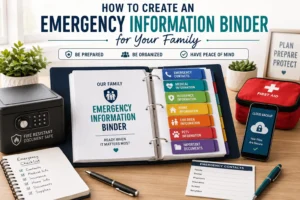
That’s why every household should have an Emergency Document Folder—a single, secure location containing copies of the documents you might need quickly during an emergency.
The goal isn’t to replace your complete filing system. Instead, it’s to keep your most critical information together so you or your family can access it without searching through multiple folders.
What Is an Emergency Document Folder?
An emergency document folder is a collection of your most essential records stored in one secure place.
Think of it as your “grab-and-go” file.
It should contain documents that help prove your identity, access financial resources, receive medical care, and contact important people if the unexpected happens.
You can create:
- A physical emergency folder stored in a waterproof document pouch or fire-resistant box.
- A secure digital folder with encrypted copies of the same documents.
- Or both, which is the most practical approach for many households.
What Should Be Included?
Below is a practical checklist. Not every item applies to every household, so customize it to your situation.
Identity
- Passport
- Birth certificate
- Driver’s license or government-issued ID
- Marriage certificate (if applicable)
Financial
- Insurance policy details
- Bank account information (avoid writing full passwords)
- Credit card contact numbers
- Emergency cash (optional)
Medical
- Health insurance card
- Current medications
- Allergy information
- Blood type (if known)
- Medical conditions
- Primary doctor’s contact information
Property
- House deed or lease agreement
- Home insurance information
- Vehicle registration
- Vehicle insurance
Emergency Contacts
Include contact information for people you trust.
Examples:
- Close family members
- Primary healthcare provider
- Insurance company
- Lawyer (if applicable)
- Employer’s emergency contact
- Trusted neighbor or friend
Review this list regularly to keep it up to date.
Digital Information
Don’t store passwords in plain text.
Instead, include:
- The name of your password manager (if you use one)
- Instructions that trusted family members would need in an emergency
- Account recovery information where appropriate
Keeping digital access organized is just as important as organizing physical paperwork.
Where Should You Keep It?
Choose a location that is:
- Easy for you to access.
- Protected from water and fire when possible.
- Known to a trusted family member.
Avoid placing it somewhere that’s difficult to reach during an emergency.
If you create a digital version, make sure it’s protected with strong security and can be accessed from multiple devices if needed.
Review It Every Year
Your emergency information changes over time.
You might:
- Renew your passport.
- Move to a new address.
- Change insurance providers.
- Buy a new vehicle.
- Add family members.
- Update emergency contacts.
Set aside time once a year to review and update your emergency document folder.
This simple habit helps ensure the information stays accurate when you need it most.
Emergency Document Folder Checklist
Item Included Passport □ Birth Certificate □ Driver’s License □ Health Insurance Card □ Insurance Policies □ Vehicle Registration □ Property Documents □ Emergency Contact List □ Medical Information □ Copies of Essential Records □ You can print this checklist or save it digitally as a reminder.
Common Mistakes That Make Document Organization Difficult
Even with good intentions, a few common habits can make it harder to stay organized.
Avoiding these mistakes will help keep your system simple and reliable.
1. Keeping Everything
Some people save every receipt, statement, and piece of mail “just in case.”
Over time, this creates clutter and makes it harder to find truly important documents.
Instead, review your paperwork regularly and securely dispose of items you no longer need.
2. Storing Documents in Too Many Places
If your passport is in one drawer, tax records are in another room, and insurance papers are in a random box, you’ll waste valuable time searching.
Choose one main location for important documents and keep the same categories in both your physical and digital systems.
3. Never Updating Your Files
A filing system isn’t something you organize once and forget forever.
Life changes.
You may move, change jobs, switch insurance providers, or purchase a new home.
Review your files at least once a year to remove outdated documents and add new ones.
4. Ignoring Digital Backups
Paper documents can be damaged by water, fire, or accidental loss.
Scanning important records and storing secure digital copies provides an extra layer of protection.
Remember to back up those files regularly.
5. Using Confusing Folder Names
Folder names like:
- Miscellaneous
- Important Stuff
- Other
- Random Papers
may seem convenient at first, but they quickly become confusing.
Instead, use specific labels such as:
- Identity
- Medical
- Taxes
- Property
- Insurance
Clear names make documents much easier to locate.
6. Leaving Sensitive Information Unprotected
Important documents often contain personal information.
Protect your records by:
- Locking physical documents in a secure location.
- Using strong passwords for digital files.
- Enabling two-factor authentication for cloud storage accounts.
- Shredding documents with sensitive information before disposal.
A few simple precautions can help protect your privacy.
7. Waiting for the “Perfect Time”
Many people delay organizing their documents because they think they’ll do it when they have more time.
Unfortunately, that often means the task keeps getting postponed.
You don’t need to organize everything in one day.
Start with one category—such as identity or financial documents—and build your system step by step.
Small, consistent progress is far better than waiting for the perfect moment.
SmartHelpHub Reality Check
An organized document system isn’t about having perfectly labeled folders or an Instagram-worthy filing cabinet.
It’s about being able to answer one simple question:
“Can I find the document I need within a few minutes?”
If the answer is yes, your system is working.
Focus on creating a system that’s practical, secure, and easy to maintain rather than aiming for perfection.
Keep Your Document System Organized Year After Year
Creating an organized document system is a great first step, but keeping it updated is what makes it truly useful.
Fortunately, maintaining your files doesn’t take much time.
By spending just 30 to 60 minutes once a year, you can keep your paperwork accurate, remove outdated documents, and ensure you’re always prepared when you need important information.
Choose a recurring date that’s easy to remember, such as:
- The beginning of a new year
- Tax season
- Your birthday month
- After renewing insurance policies
Adding this task to your calendar makes it much less likely to be forgotten.
Annual Document Review Checklist
Use this checklist once a year to keep your filing system current.
Identity Documents
□ Check passport expiration date.
□ Review driver’s license or ID expiration.
□ Update address information if needed.
□ Confirm family records are complete.
Financial Documents
□ File the latest tax return.
□ Archive last year’s financial records.
□ Remove outdated bank statements if appropriate.
□ Review insurance policies.
□ Update investment records.
Medical Documents
□ Replace outdated prescriptions.
□ Add recent medical reports.
□ Update vaccination records.
□ Review emergency medical information.
Property and Vehicle Documents
□ File new maintenance records.
□ Update insurance documents.
□ Remove expired warranties.
□ Review lease or mortgage paperwork.
Digital Files
□ Confirm backups are working.
□ Remove duplicate files.
□ Organize newly scanned documents.
□ Update passwords if necessary.
Emergency Folder
□ Verify emergency contact information.
□ Update insurance details.
□ Replace expired identification copies.
□ Review medical information.
30-Minute Maintenance Routine
You don’t have to reorganize everything every year.
Follow this simple routine.
First 10 Minutes
Collect any new documents that haven’t been filed.
Next 10 Minutes
Archive outdated paperwork and securely dispose of documents you no longer need.
Final 10 Minutes
Review your emergency folder and digital backups to make sure everything is current.
That’s it.
A short annual review is usually enough to keep your system running smoothly.
Frequently Asked Questions
What documents should I keep forever?
Documents that are difficult or impossible to replace should generally be kept permanently.
Examples include:
Birth certificates
Passports (even expired ones may be worth keeping for records)
Marriage certificates
Property deeds
Wills
Adoption records
Education certificates
Military service records
Always check the legal requirements in your country if you’re unsure how long to keep specific records.
Should I scan all my important documents?
Scanning important documents is a good idea because digital copies are convenient and provide an extra layer of protection.
However, keep original versions of documents that may be legally required, such as passports, birth certificates, property deeds, or other official records.
Where is the safest place to store important documents?
For physical documents, a fire-resistant document box, home safe, or locked filing cabinet in a cool, dry location is a practical choice.
For digital copies, use a trusted cloud storage service with strong security, enable two-factor authentication, and keep an additional backup if possible.
How often should I organize my documents?
You don’t need to organize everything every month.
File new documents as they arrive, and perform a more thorough review once a year.
This simple habit helps prevent paperwork from becoming overwhelming.
What should I do with old documents I no longer need?
Before disposing of documents that contain personal or financial information, shred them to reduce the risk of identity theft.
Recycle only papers that don’t contain sensitive information.
Key Takeaways
If you remember only a few things from this guide, let them be these:
- Organize documents into clear categories.
- Keep originals of essential records in a secure place.
- Maintain digital copies for convenience.
- Review your system once a year.
- Keep an emergency document folder ready.
- Use the SAFE Filing Method to stay organized without overcomplicating the process.
A simple system that you consistently maintain is far more valuable than a complicated one you rarely use.
Final Thoughts
Organizing important documents may not seem exciting, but it’s one of the most practical ways to reduce stress and prepare for the unexpected.
Once your documents are organized, the next step is creating systems that keep every part of your life running smoothly. How to Build a Personal Life Management System That Actually Works is a great place to continue.
Whether you’re applying for a loan, filing taxes, planning a trip, or dealing with an emergency, knowing exactly where your documents are can save valuable time and give you peace of mind.
The good news is that you don’t have to do everything at once.
Start with one category today—perhaps your identity documents or financial records. Once you experience how much easier it is to find what you need, you’ll be motivated to organize the rest.
Remember, the goal isn’t to create a perfect filing cabinet. It’s to build a reliable system that works for you and your family for years to come.