Quick Answer
Digital clutter isn’t just about having too many files or apps—it’s about the constant mental effort required to manage them. A disorganized phone, overflowing inbox, messy desktop, and hundreds of browser tabs can slow you down, increase stress, and make it harder to focus on what matters. The good news is that you don’t need to organize everything at once. By using the Smart Digital Life System, you can organize your devices one area at a time, reduce digital distractions, and build simple habits that keep your digital life manageable for the long term.
At a Glance
Reading Time: 15–18 minutes
Best For:
- Students
- Professionals
- Remote workers
- Freelancers
- Parents
- Anyone overwhelmed by digital clutter
What You’ll Learn
✔ What digital clutter really is—and why it feels so overwhelming
✔ How to organize your phone, computer, browser, and inbox using one simple system
✔ Daily and weekly habits that keep your digital life organized
✔ Practical ways to reduce distractions without spending hours cleaning up your devices
✔ How to maintain a clutter-free digital environment with minimal effort
Take Action Today
Choose one device—your phone, laptop, or tablet—and spend just 10 minutes organizing one area. Small improvements are easier to maintain than trying to overhaul everything at once.
Table of Contents
- What Is Digital Clutter?
- Why Digital Clutter Feels So Overwhelming
- The Smart Digital Life System
- How to Organize Your Digital Life Step by Step
- Common Digital Organization Mistakes
- The 20-Minute Digital Reset
- Habits That Keep Your Digital Life Organized
- Signs Your Digital Life Is Becoming Easier to Manage
- Frequently Asked Questions
- Key Takeaways
Is Your Digital Life Starting to Feel Out of Control?
How many browser tabs are open on your computer right now?
How many unread emails are sitting in your inbox?
Could you quickly find an important document you saved six months ago?
What about that screenshot you took last week?
If answering these questions makes you feel a little uncomfortable, you’re not alone.
Many of us spend hours every day using phones, laptops, tablets, and cloud storage, yet very few of us have a system for keeping our digital lives organized. Files pile up in the Downloads folder. Photos get scattered across multiple devices. Browser tabs multiply until they’re impossible to manage. Apps that once seemed useful remain installed long after we’ve stopped using them.
Unlike physical clutter, digital clutter doesn’t take up space in your home. Instead, it takes up space in your attention.
Every time you search for a missing document, scroll through dozens of apps to find the right one, or waste five minutes looking for an email, you’re spending mental energy on something that should be simple.
Over time, these small frustrations add up.
You may find yourself feeling:
- Less productive.
- More distracted.
- Mentally overloaded before your workday even begins.
- Frustrated by how difficult it is to find important information.
- Constantly interrupted by digital noise.
The good news is that organizing your digital life doesn’t require expensive software or complicated productivity systems.
It starts with changing the way you think about digital organization.
Instead of trying to clean everything at once, you’ll learn how to create simple systems that make staying organized almost automatic.
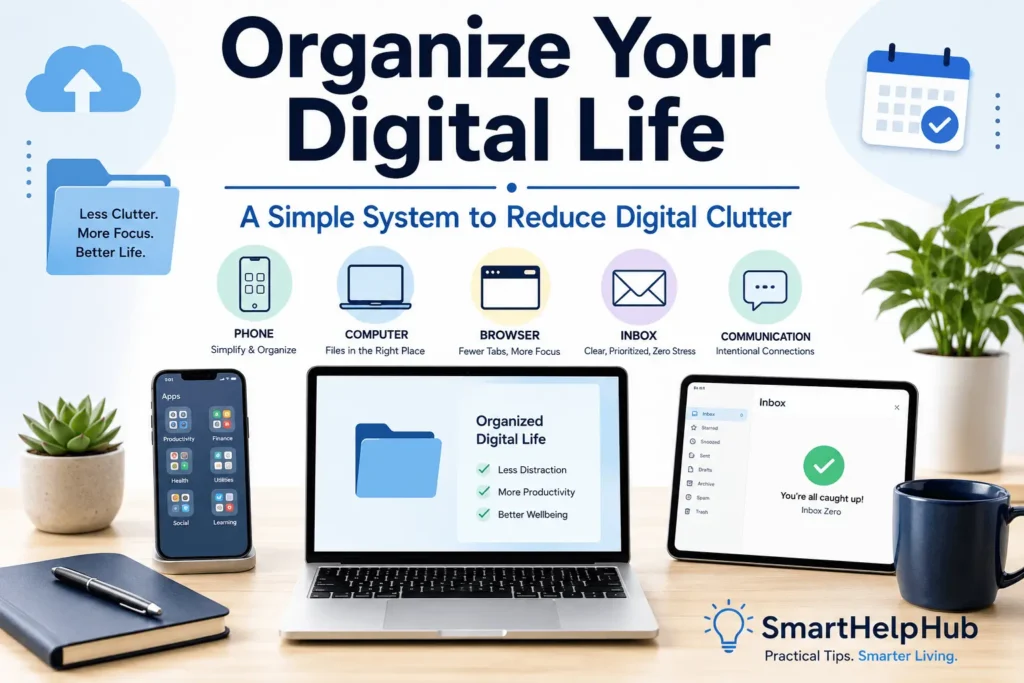
In this guide, you’ll discover the Smart Digital Life System, a practical five-zone approach that helps you organize your phone, computer, browser, communication tools, and digital habits without feeling overwhelmed.
By the end of this guide, you’ll know how to:
- Organize your digital files so they’re easier to find.
- Reduce unnecessary digital distractions.
- Create a cleaner phone and computer experience.
- Spend less time searching and more time getting things done.
- Build habits that keep digital clutter from coming back.
Most importantly, you’ll learn that digital organization isn’t about perfection—it’s about creating an environment that helps you think more clearly and work with less stress.
Who This Guide Is For
This guide is for anyone who feels like technology is becoming harder to manage instead of easier to use.
It will be especially helpful if you:
- Struggle to find files you’ve already saved.
- Have hundreds or even thousands of unread emails.
- Keep dozens of browser tabs open because you’re afraid of losing something important.
- Feel overwhelmed by the number of apps on your phone.
- Spend too much time searching for documents, photos, or notes.
- Want a simple system instead of complicated productivity advice.
- Feel like your digital devices create more stress than they solve.
Whether you’re a student managing coursework, a professional juggling multiple projects, a freelancer working across different clients, or simply someone who wants a calmer digital life, the ideas in this guide are designed to be practical and easy to apply.
You don’t need to organize everything today.
You just need a system that’s simple enough to keep using tomorrow.
SmartHelpHub Tip
Digital organization isn’t about having fewer files—it’s about being able to find the right one when you need it.
Key Insight
A tidy desktop or an empty inbox doesn’t automatically make you productive.
What matters is creating a digital environment where your most important information is easy to access, your distractions are minimized, and your technology supports your goals instead of competing for your attention.
What Is Digital Clutter?
In Short: Digital clutter is the unnecessary accumulation of files, apps, emails, browser tabs, photos, downloads, and notifications that make it harder to find information, stay focused, and use your devices efficiently. Over time, this clutter can increase stress, reduce productivity, and create a constant sense of mental overload.
When people think about clutter, they usually picture a messy desk, an overflowing closet, or a room filled with things they no longer use.
Digital clutter works in much the same way.
The difference is that you can’t always see it.
Instead of taking up physical space, it quietly builds up across your devices—your phone, computer, tablet, email inbox, cloud storage, and web browser. Every unused app, forgotten file, duplicate photo, and unnecessary notification adds a little more complexity to your digital life.
On its own, none of these things seems like a problem.
A few extra browser tabs.
Another folder in your Downloads directory.
A handful of unread emails.
One more app you might use someday.
But over weeks, months, and even years, these small additions accumulate until simple tasks become surprisingly difficult.
You spend longer searching for documents.
You forget where you saved important files.
You open your laptop and immediately feel distracted by dozens of icons on the desktop.
You unlock your phone to complete one task but become sidetracked by a crowded home screen full of apps competing for your attention.
Digital clutter isn’t just about having “too much stuff.”
It’s about increasing the amount of mental effort required to use technology effectively.
The more decisions you have to make before starting your work, the harder it becomes to focus on what actually matters.
Digital Clutter vs. Digital Organization
Many people assume digital organization means having perfectly arranged folders, an empty inbox, and a spotless desktop.
That’s not realistic—and it isn’t necessary.
A well-organized digital life isn’t about perfection.
It’s about creating a system where you can quickly find what you need, ignore what you don’t, and spend less time managing technology.
Think of it this way.
Imagine two people.
Emma
Emma has hundreds of work files.
But she uses clear folder names, consistent file names, and removes outdated documents every month.
When she needs a contract from last year, she finds it in less than a minute.
Noah
Noah has fewer files than Emma.
However, they’re scattered across his desktop, Downloads folder, cloud storage, and email attachments.
Many documents have names like:
- Document1
- Final
- Final New
- Final Final
- Copy of Final
Even though Noah has fewer files, finding the right one takes far longer.
The problem isn’t the number of files.
The problem is the lack of a system.
That’s why this guide focuses on building simple habits instead of chasing perfection.
Common Examples of Digital Clutter
Digital clutter appears in many forms.
You might recognize some of these:
On Your Phone
- Hundreds of unused apps
- Multiple weather or shopping apps that do the same job
- Screens full of random app icons
- Old screenshots you no longer need
- Duplicate photos
- Widgets you never use
On Your Computer
- A desktop covered in files
- A Downloads folder with years of forgotten documents
- Duplicate folders
- Random screenshots
- Files with confusing names
- Empty folders that serve no purpose
In Your Browser
- Dozens of open tabs
- Hundreds of bookmarks
- Extensions you no longer use
- Saved passwords that haven’t been reviewed in years
In Your Email
- Thousands of unread messages
- Promotional newsletters
- Duplicate mailing lists
- Old attachments
- Important emails mixed with spam
In Cloud Storage
- Duplicate backups
- Old project folders
- Shared files you no longer need
- Photos stored in multiple locations
Why Small Digital Messes Become Big Problems
Digital clutter rarely appears overnight.
Instead, it grows through hundreds of tiny decisions.
Examples include:
- “I’ll organize this later.”
- “I’ll leave this tab open so I don’t forget.”
- “I’ll save another copy just in case.”
- “I’ll keep this app—I might need it one day.”
Each decision seems harmless.
But together, they create a digital environment that’s harder to navigate every day.
That’s why organizing your digital life isn’t really about cleaning.
It’s about reducing unnecessary decisions before they slow you down.
Did You Know?
Research on cognitive load suggests that when your environment contains unnecessary information, your brain has more competing inputs to process. A cleaner digital environment can reduce unnecessary mental effort and make it easier to concentrate on the task you’re trying to complete.
Why Digital Clutter Feels So Overwhelming
In Short: Digital clutter affects more than your devices—it affects your attention. Every extra file, app, notification, and browser tab increases the number of decisions your brain has to make, making everyday tasks feel more mentally demanding.
Have you ever opened your laptop to complete one task, only to spend the next ten minutes searching for the right file?
Or unlocked your phone to check your calendar but ended up scrolling through apps instead?
Those moments may seem small, but they happen repeatedly throughout the day.
Over time, they create mental friction.
Instead of moving smoothly from one task to another, you’re constantly stopping to search, decide, organize, or remember.
That’s exhausting.
Your Brain Prefers Simplicity
Your brain likes predictable systems.
When everything has a clear place, finding information becomes almost automatic.
But when files, apps, and information are scattered everywhere, your brain has to work much harder.
Instead of thinking about your actual work, you’re thinking about where everything is.
This unnecessary mental effort steals attention from more meaningful tasks.
Too Many Choices Lead to Mental Fatigue
Every digital decision consumes a small amount of mental energy.
Questions like:
- Which folder did I save this in?
- Which browser tab was I using?
- Which version of this document is correct?
- Which note contains that idea?
may seem insignificant.
But hundreds of these tiny choices throughout the week contribute to reduce decision fatigue in daily life.
When your brain spends energy on avoidable decisions, you have less mental capacity available for creative thinking, problem-solving, and meaningful work.
Visual Clutter Creates Attention Clutter
Imagine opening your computer and seeing:
- 75 desktop icons
- 42 browser tabs
- Five messaging apps
- Constant pop-up notifications
- Hundreds of unread emails
Even if you ignore them, they’re competing for your attention.
A visually crowded screen constantly reminds you of unfinished tasks.
By reducing visual clutter, you make it easier for your brain to focus on what’s directly in front of you.
Searching Wastes More Time Than You Think
Many people underestimate how much time they spend looking for things.
You search for:
- Files
- Photos
- Passwords
- Emails
- Downloads
- Bookmarks
- Browser tabs
A few minutes here and there may not seem important.
But over the course of weeks and months, those minutes add up.
Creating a simple organizational system helps reduce that hidden time cost.
Digital Clutter Often Leads to Digital Distractions
A cluttered device doesn’t just make things harder to find.
It also creates more opportunities to get distracted.
For example:
You open your phone to check your calendar.
On the way, you notice a social media app.
Then a shopping app.
Then a news notification.
Five minutes later, you’ve forgotten why you picked up your phone.
That’s why organizing your digital life works so well alongside learning how to manage notification overload. A cleaner device combined with a thoughtful notification system dramatically reduces unnecessary interruptions.
SmartHelpHub Tip
Instead of asking:
“How can I organize everything?”
Ask:
“What’s the next thing I’ll probably need?”
Organize around your daily habits—not around perfection.
You’ll build a system that’s much easier to maintain.
Key Insight
Digital organization isn’t about creating the most beautiful folder structure.
It’s about removing small obstacles that interrupt your thinking throughout the day.
Every unnecessary click, search, and decision is a tiny interruption.
Reducing those interruptions gives you more time, more focus, and less stress.
Take Action
Before reading the next section, spend two minutes looking at one of your devices.
Ask yourself:
- Which area feels the most cluttered?
- What slows me down the most?
- If I could organize just one thing today, what would make the biggest difference?
Don’t fix it yet.
Just notice it.
That awareness will help you get much more value from the Smart Digital Life System in the next section, where we’ll organize your entire digital life into five simple zones.
The Smart Digital Life System
In Short: Instead of trying to organize everything at once, organize your digital life in five manageable zones: your phone, computer, browser, communication tools, and maintenance routine. This simple system makes digital organization easier to build and much easier to maintain.
One of the biggest mistakes people make is trying to clean their entire digital life in one afternoon.
They delete a few files.
Organize some folders.
Close a handful of browser tabs.
Then life gets busy.
Within a few weeks, everything looks exactly the way it did before.
The problem isn’t motivation.
The problem is the lack of a system.
The Smart Digital Life System solves this by dividing your digital world into five simple zones. Instead of asking yourself, “How do I organize everything?” you only need to focus on one zone at a time.
Zone 1 — Your Phone
For many people, the phone is the most frequently used digital device.
It’s also where digital clutter builds up the fastest.
Apps accumulate over time.
Widgets become outdated.
Screenshots pile up.
Notifications compete for attention.
Eventually, opening your phone feels overwhelming instead of helpful.
Start with Your Home Screen
Your home screen should contain only the apps you use every day.
Ask yourself:
- Do I use this app every week?
- Could this app live in the app library instead?
- Does this app help me achieve something important?
The fewer visual distractions you see, the easier it becomes to focus.
Group Similar Apps Together
Instead of placing apps randomly, organize them into simple categories such as:
- Communication
- Productivity
- Finance
- Health
- Travel
- Entertainment
Don’t create dozens of folders.
Four to eight well-named folders are usually enough.
Remove Digital Noise
Look at your phone honestly.
How many apps haven’t been opened in months?
Deleting unused apps creates more space—not just on your phone, but in your attention.
A cleaner phone also makes it much easier to **stop checking your phone every few minutes because fewer visual triggers compete for your attention.
Review Notifications
Once your phone is organized, take a few minutes to review which apps are still allowed to interrupt you.
If you haven’t already, follow our guide on manage notification overload to create a notification system that supports your priorities instead of distracting you.
SmartHelpHub Tip
If you hesitate before deleting an app, ask yourself:
“If this app disappeared today, would I download it again?”
If the answer is no, you probably don’t need it.
Zone 2 — Your Computer
Your computer should help you work—not slow you down.
Unfortunately, many desktops become temporary storage areas for everything.
Documents.
Screenshots.
Downloads.
Shortcuts.
Random files.
Over time, the desktop becomes so crowded that important work is harder to find.
Clean Your Desktop
A desktop isn’t meant to store everything.
Think of it like your physical desk.
The less clutter it contains, the easier it is to concentrate.
Keep only:
- Current projects
- Frequently used shortcuts
- Essential folders
Everything else should be filed elsewhere.
Organize Your Downloads Folder
The Downloads folder is one of the most neglected places on any computer.
Instead of treating it as permanent storage:
- Delete unnecessary files.
- Move important documents into appropriate folders.
- Empty duplicate downloads.
- Remove installation files you’ve already used.
Checking this folder once a week prevents hundreds of forgotten files from accumulating.
Create a Simple Folder Structure
Avoid creating dozens of nested folders.
Instead, use broad categories like:
Documents
│
├── Personal
├── Work
├── Finance
├── Photos
└── ProjectsA simple system is easier to remember.
Name Files Clearly
Compare these:
❌ Final.pdf
❌ New Version.docx
❌ Copy (2).xlsx
Instead use:
✅ 2026-Tax-Documents.pdf
✅ Marketing-Proposal-June-2026.docx
✅ Monthly-Budget-April.xlsx
Future you will thank present you.
Common Mistake
People spend hours organizing folders…
…but never improve their file names.
Good file names save more time than complicated folder systems.
Zone 3 — Your Browser
Your browser is where many digital distractions begin.
Open tabs.
Bookmarks.
Extensions.
Downloads.
Saved passwords.
They all compete for your attention.
Close Tabs with Confidence
Keeping 50 tabs open rarely makes you more productive.
Instead:
- Bookmark pages you’ll need later.
- Save important articles to a reading app.
- Close tabs you’ve already finished.
Remember:
An open tab is not a reminder system.
Organize Your Bookmarks
Delete bookmarks you haven’t visited in years.
Create a few simple folders:
- Work
- Learning
- Finance
- Shopping
- Travel
Avoid bookmarking everything.
If you can easily search for it later, you probably don’t need to save it.
Remove Unused Browser Extensions
Extensions can:
- Slow your browser
- Create security risks
- Add unnecessary clutter
Keep only the ones you genuinely use.
Zone 4 — Communication
Communication tools are some of the biggest sources of digital overload.
This includes:
- Calendar
- Messaging apps
- Contacts
- Meeting tools
Simplify Your Inbox
Instead of trying to reach Inbox Zero every day:
Focus on:
- Unsubscribing from newsletters you never read.
- Archiving completed conversations.
- Creating folders for recurring topics.
- Using search instead of endless scrolling.
Keep Your Calendar Simple
Only schedule events that require a reminder.
Too many reminders reduce the impact of important ones.
Review Messaging Apps
Ask:
- Which conversations are still active?
- Which groups can be muted?
- Which apps do I actually use?
Reducing communication clutter often reduces mental clutter too.
Zone 5 — Maintenance
Even the best organization system won’t last without regular maintenance.
Fortunately, maintaining your digital life requires much less effort than organizing it from scratch.
Create a simple routine.
Every Week
Spend 10–15 minutes:
- Empty Downloads.
- Delete screenshots.
- Close browser tabs.
- Archive completed emails.
- Remove temporary desktop files.
Every Month
Review:
- Unused apps
- Cloud storage
- Browser extensions
- Backups
- Password manager
- Notification settings
Small, regular maintenance sessions prevent digital clutter from becoming overwhelming again.
Did You Know?
Professional organizers often recommend maintenance routines because it’s easier to keep a system organized than to rebuild one after months of neglect.
The same principle applies to your digital life.
Zone Focus Goal Phone Apps, Home Screen, Notifications Reduce distractions Computer Desktop, Files, Downloads Find information faster Browser Tabs, Bookmarks, Extensions Reduce digital clutter Communication Email, Calendar, Messages Simplify communication Maintenance Weekly & Monthly Reviews Prevent clutter from returning
Key Insight
The goal isn’t to own fewer digital things.
The goal is to spend less time managing them.
Every organized file, every closed browser tab, and every deleted app removes one small obstacle between you and the work that matters.
Take Action
Choose one zone today.
Not all five.
Just one.
Spend 10 minutes improving it.
Tomorrow, choose another.
Small, consistent improvements create a digital life that’s easier to manage than a one-time cleanup you’ll never maintain.
How to Organize Your Digital Life Step by Step
In Short: You don’t need to organize every device in a single day. Start with one area, build simple habits, and gradually create a digital environment that’s easier to manage and less distracting.
Many people fail because they try to organize everything at once.
They spend an entire Saturday cleaning files, deleting apps, organizing folders, and sorting emails.
By Monday, they’re exhausted.
A few weeks later, digital clutter starts creeping back.
Instead of aiming for perfection, focus on creating systems you can realistically maintain.
Follow these eight steps.
Step 1: Declutter Before You Organize
One of the biggest mistakes people make is organizing things they don’t actually need.
Before creating folders or renaming files, remove what’s no longer useful.
Look for:
- Duplicate files
- Old screenshots
- Outdated downloads
- Unused apps
- Expired documents
- Empty folders
Ask yourself:
“Would I notice if this disappeared today?”
If the answer is no, consider deleting it.
Remember, organizing unnecessary items only creates more work later.
SmartHelpHub Tip
Don’t ask:
“Where should I put this?”
Ask:
“Do I still need this?”
Deleting unnecessary items is often more valuable than finding a better place to store them.
Step 2: Organize Your Phone Around Daily Use
Your phone should make everyday tasks easier—not slower.
Instead of filling your home screen with every app you’ve ever downloaded, keep only the ones you use regularly.
A simple approach is:
Home Screen
Include only:
- Phone
- Messages
- Calendar
- Camera
- Maps
- Notes
- Frequently used productivity apps
Everything else can live inside folders or your app library.
A cleaner home screen reduces visual distractions and makes it easier to **stop checking your phone every few minutes because there are fewer tempting apps competing for your attention.
Remove Apps You No Longer Use
Many people keep apps because they think they might need them one day.
If you haven’t opened an app in months, it’s probably safe to remove it.
You can always reinstall it later if needed.
Organize Similar Apps Together
Examples:
📁 Finance
📁 Health
📁 Travel
📁 Shopping
📁 Entertainment
Avoid creating folders with only one app.
Keep your structure simple.
Common Mistake
Don’t organize apps alphabetically.
Organize them by how you use them.
Your phone should match your habits—not someone else’s system.
Step 3: Create a Cleaner Computer Workspace
Your computer should support your work, not overwhelm you.
Start with your desktop.
Remove:
- Temporary files
- Old screenshots
- Duplicate documents
- Random shortcuts
Only keep files related to current work.
Everything else belongs inside organized folders.
Create a Simple Folder Structure
Good example:
Personal
Work
Finance
Learning
Photos
Projects
Avoid creating deeply nested folders that are difficult to remember.
Simple structures save more time.
Use Clear File Names
Instead of:
Document.docx
Final.pdf
New Version.xlsx
Use:
Resume-2026.pdf
Vacation-Budget.xlsx
Project-Proposal-July-2026.docx
You’ll spend far less time searching later.
Step 4: Organize Your Browser
Your browser is often where digital clutter grows the fastest.
Close Unnecessary Tabs
If a tab has been open for weeks, ask yourself why.
Options:
- Bookmark it.
- Save it to a reading list.
- Add it to your notes.
- Close it.
Remember:
An open tab is not a productivity system.
Review Your Bookmarks
Delete bookmarks you never use.
Create folders like:
- Work
- Personal
- Learning
- Finance
Don’t save everything.
Search engines are often faster than huge bookmark collections.
Remove Unused Extensions
Every extension adds complexity.
Keep only the tools that genuinely improve your workflow.
Step 5: Simplify Your Email
Many people believe they need an empty inbox.
That’s rarely necessary.
Instead, aim for an inbox that’s easy to manage.
Unsubscribe from Emails You Never Read
Ask yourself:
- Have I opened these emails recently?
- Do they help me?
- Would I miss them?
If not, unsubscribe.
Archive Instead of Hoarding
Completed conversations don’t need to stay in your inbox forever.
Archive them.
Modern email search tools make archived messages easy to find.
Create Only a Few Labels
Examples:
- Action Required
- Waiting
- Personal
- Receipts
Too many folders create more decisions.
Key Insight
Your inbox should be a workspace—not a storage room.
Step 6: Build a Simple Planning System
Digital organization isn’t only about files.
It’s also about organizing your work.
Instead of relying on memory, create a trusted planning system.
This works especially well when combined with **create a daily to-do list that you’ll actually follow.
When your tasks and your digital files are both organized, you spend less time wondering what to do next and more time making progress.
Keep One Trusted Task List
Avoid spreading tasks across:
- Sticky notes
- Multiple apps
- Emails
- Text messages
Choose one primary task manager and use it consistently.
Step 7: Schedule a Weekly Digital Reset
Digital clutter returns because maintenance is often forgotten.
Set aside 15–20 minutes each week to:
✅ Delete unnecessary downloads
✅ Organize your desktop
✅ Archive completed emails
✅ Close browser tabs
✅ Remove temporary files
✅ Empty your recycle bin
Think of it as routine maintenance—similar to tidying your home.
Did You Know?
Spending just a few minutes maintaining an organized system each week is usually far easier than trying to reorganize everything after months of neglect.
Step 8: Protect Your Attention
A well-organized digital life isn’t only about neat folders.
It’s also about protecting your ability to focus.
Even an organized computer can become distracting if you’re constantly interrupted.
Combine your digital organization habits with **small habits that calm an overstimulated mind to reduce unnecessary mental overload throughout the day.
You can also support these habits by learning how to **manage notification overload, ensuring your devices interrupt you only when something truly deserves your attention.
When organization and attention management work together, technology becomes a helpful tool instead of a constant source of stress.
Putting It All Together
Here’s the complete process:
| Step | Focus |
|---|---|
| 1 | Remove unnecessary digital clutter |
| 2 | Organize your phone |
| 3 | Clean your computer |
| 4 | Simplify your browser |
| 5 | Organize your email |
| 6 | Build a trusted planning system |
| 7 | Schedule weekly maintenance |
| 8 | Protect your attention |
You don’t need to complete every step today.
Choose one.
Finish it.
Then move to the next.
Small, consistent improvements create lasting results.
Before you unlock your phone, ask: “What am I using this for?”
This one-second pause is the simplest boundary you can set. It won’t stop every mindless check, but it interrupts the automatic reach-for-your-phone reflex often enough to matter — and it costs nothing to try.
Take Action
Before you continue reading, spend 10 minutes completing just one step from this guide.
Don’t worry about perfection.
Your goal today is simple:
Make your digital life slightly easier than it was yesterday.
That small improvement is far more valuable than creating a perfect system you’ll never maintain.
Quick Checklist
Before moving on, ask yourself:
- ☐ Have I removed files I no longer need?
- ☐ Is my home screen helping or distracting me?
- ☐ Can I find important documents quickly?
- ☐ Do I have dozens of unnecessary browser tabs open?
- ☐ Is my inbox manageable?
- ☐ Do I have one trusted task system?
- ☐ Have I scheduled a weekly digital reset?
If you answered “no” to several of these questions, don’t worry—that simply shows you where to begin.
Common Digital Organization Mistakes (and How to Avoid Them)
In Short: Digital organization isn’t difficult because it’s complicated—it’s difficult because many people use systems that are too complex to maintain. Avoiding these common mistakes will help you build habits that last.
Many people spend hours organizing their devices only to feel overwhelmed again a few weeks later.
Why?
Because they focus on creating the “perfect” system instead of a practical one.
Let’s look at the mistakes that cause digital clutter to return—and how you can avoid them.
Mistake 1: Organizing Before Decluttering
A common temptation is to start creating folders and rearranging files immediately.
But if you’re organizing items you no longer need, you’re simply moving clutter from one place to another.
A Better Approach
Always begin by removing:
- Duplicate files
- Outdated documents
- Old screenshots
- Unused apps
- Temporary downloads
Once you’ve reduced the clutter, organizing what’s left becomes much easier.
SmartHelpHub Tip
Think of it this way:
You wouldn’t buy more storage boxes before deciding what to keep in your house.
The same principle applies to your digital life.
Mistake 2: Creating Too Many Folders
Many people create complicated folder structures like:
Work
└── Clients
└── 2026
└── Marketing
└── Social
└── Facebook
At first, it looks organized.
Six months later, you can’t remember where anything belongs.
A Better Approach
Keep your structure simple.
Most people only need a handful of main folders.
If you hesitate about where to save something, your system is probably too complicated.
Mistake 3: Using Your Desktop as Permanent Storage
Your desktop is designed for quick access—not long-term storage.
When it’s filled with dozens of files and shortcuts, finding what you need becomes more difficult.
A Better Approach
Treat your desktop like your physical desk.
Keep only:
- Current work
- Frequently used shortcuts
- Active projects
Everything else belongs inside your folder system.
Mistake 4: Leaving Every Browser Tab Open
Many people believe:
“I’ll leave this open so I don’t forget it.”
Unfortunately, that habit often leads to dozens—or even hundreds—of open tabs.
Instead of helping, those tabs become visual clutter.
A Better Approach
If you’ll need the page later:
- Bookmark it.
- Save it to your reading list.
- Add it to your notes.
- Close the tab.
Your browser should help you focus, not constantly remind you of unfinished tasks.
Mistake 5: Saving Everything “Just in Case”
Storage space is larger than ever.
Because of that, many people save everything.
Old downloads.
Duplicate photos.
Expired documents.
Multiple copies of the same file.
The result?
Searching becomes slower because there are simply too many things to search through.
A Better Approach
Ask yourself:
“Would I actively look for this six months from now?”
If the answer is no, it’s probably safe to delete.
Mistake 6: Ignoring Your Downloads Folder
The Downloads folder often becomes the forgotten corner of your computer.
PDFs.
Images.
Software installers.
Duplicate files.
Everything ends up there.
A Better Approach
Review it once a week.
Move important files where they belong.
Delete everything else.
Five minutes each week saves hours later.
Mistake 7: Depending on Memory Instead of Systems
Many people think:
“I’ll remember where I saved that.”
Weeks later…
They don’t.
A Better Approach
Create consistent habits.
For example:
Every financial document goes into: Finance
Every work proposal goes into: Projects
The less you rely on memory, the easier your digital life becomes.
Common Mistake
People often spend more time deciding where something belongs than actually using it.
Simple systems beat perfect systems.
Every time.
The 20-Minute Digital Reset
In Short: You don’t need an entire weekend to organize your digital life. Spending just 20 focused minutes each week can prevent digital clutter from becoming overwhelming.
Set a timer.
Follow these four short sessions.
Then stop.
Small, consistent maintenance is more effective than occasional marathon cleanups.
Minutes 1–5: Clean Your Phone
Spend five minutes:
- Delete unused apps.
- Remove old screenshots.
- Organize your home screen.
- Clear unnecessary widgets.
Don’t aim for perfection.
Aim for progress.
Minutes 6–10: Clean Your Computer
Next:
- Empty Downloads.
- Remove desktop clutter.
- Delete duplicate files.
- Rename confusing documents.
Small improvements make tomorrow’s work easier.
Minutes 11–15: Organize Your Browser
Review:
- Open tabs
- Bookmarks
- Extensions
- Downloads
Close anything you no longer need.
Remember:
Open tabs are temporary—not permanent storage.
Minutes 16–20: Simplify Communication
Finally:
- Archive completed emails.
- Delete spam.
- Unsubscribe from newsletters you never read.
- Review your calendar.
- Mute unnecessary conversations.
This final step often creates an immediate feeling of relief.
Your Weekly Digital Reset Checklist
Use this checklist every week.
Phone
☐ Remove unused apps
☐ Delete screenshots
☐ Review notifications
☐ Organize folders
Computer
☐ Empty Downloads
☐ Clean desktop
☐ Rename important files
☐ Empty recycle bin
Browser
☐ Close unnecessary tabs
☐ Remove unused bookmarks
☐ Review extensions
Communication
☐ Archive emails
☐ Unsubscribe from unwanted newsletters
☐ Review calendar
☐ Mute unnecessary conversations
Did You Know?
A maintenance routine takes far less effort than a complete reorganization because you’re dealing with small amounts of new clutter instead of months of accumulated digital mess.
That’s why consistency matters more than intensity.
A One-Week Digital Organization Challenge
Instead of trying to organize everything today, spread the work across one week.
Monday
Phone
Tuesday
Computer
Wednesday
Browser
Thursday
Friday
Cloud storage
Saturday
Photos and downloads
Sunday
Weekly review and reset
After one week, you’ll have touched every major part of your digital life without feeling overwhelmed.
Key Insight
The people who stay digitally organized aren’t usually more disciplined.
They simply spend a few minutes maintaining simple systems before small problems become big ones.
Take Action
Choose a time right now for your first 20-Minute Digital Reset.
Add it to your calendar.
Treat it like any other important appointment.
Your future self will appreciate the habit.
Quick Checklist
Before moving on, ask yourself:
- ☐ Am I organizing things I don’t need?
- ☐ Is my folder structure simple?
- ☐ Is my desktop helping or distracting me?
- ☐ Am I keeping unnecessary browser tabs open?
- ☐ Do I regularly clean my Downloads folder?
- ☐ Have I scheduled a weekly digital reset?
Even checking off two or three of these items today is meaningful progress.
Habits That Keep Your Digital Life Organized
In Short: Organizing your digital life isn’t a one-time project. It’s a collection of small habits that prevent clutter from returning. Spending just a few minutes each day or week is often enough to keep your digital environment simple, organized, and easy to manage.
Many people believe that staying organized requires hours of maintenance every week.
Fortunately, that’s rarely true.
Once you’ve built a simple system, maintaining it usually takes far less time than creating it.
The secret isn’t working harder.
It’s building habits that naturally fit into your daily routine.
Start Every Morning with a Clear Digital Workspace
Your first few minutes of work often determine how productive the rest of your day feels.
Before opening email or checking social media, spend a minute preparing your digital workspace.
For example:
- Close unnecessary programs.
- Open only the files you’ll actually need.
- Review today’s priorities.
- Clear yesterday’s temporary notes.
Pairing this habit with build a simple morning routine that actually works helps create a calmer and more focused start to the day.
When your workspace is ready before distractions appear, it’s much easier to stay on track.
SmartHelpHub Tip
Don’t start your workday by reacting.
Start it by preparing.
A one-minute setup often saves far more time later.
Follow the “One-Minute Rule”
If organizing something takes less than a minute…
Do it immediately.
Examples:
- Rename a downloaded file.
- Move a document into the correct folder.
- Delete a duplicate screenshot.
- Close an unused browser tab.
- Archive a completed email.
These tiny actions prevent clutter from accumulating.
Keep One Home for Everything
One of the biggest causes of digital clutter is saving similar information in multiple places.
For example:
A document might exist in:
- Downloads
- Desktop
- Cloud storage
- Email attachment
- USB drive
Weeks later, you’re no longer sure which version is correct.
Instead, create one trusted location for each type of information.
Examples:
📁 Financial documents
📁 Work projects
📁 Personal records
📁 Photos
📁 Learning materials
Knowing where something belongs removes unnecessary decisions.
Schedule a Weekly Digital Review
Think of your digital life the same way you think about cleaning your home.
You wouldn’t wait until every room becomes impossible to walk through before tidying.
Digital organization works the same way.
Choose one day each week.
Spend 15–20 minutes reviewing:
- Downloads
- Desktop
- Browser tabs
- Screenshots
- Cloud storage
Regular maintenance prevents small problems from becoming overwhelming.
Key Insight
The goal of a weekly review isn’t to create perfection.
It’s to stop small amounts of clutter from turning into large amounts of clutter.
Reduce Friction Wherever You Can
Every unnecessary step creates another opportunity to procrastinate.
Ask yourself:
- Can I simplify this folder?
- Can I delete this app?
- Can I reduce the number of clicks?
- Can I automate this task?
Small improvements repeated consistently create a much smoother digital experience.
Keep Your Task System Simple
Many people use:
- Sticky notes
- Three different to-do apps
- Emails
- Messaging apps
- Notebook pages
Eventually, they forget where they wrote something important.
Choose one trusted planning system.
Using a single task list works especially well alongside create a daily to-do list that you’ll actually follow because both systems reinforce each other.
Instead of searching for tasks, you’ll always know where to look.
Protect Your Attention Every Day
A well-organized digital life is valuable.
Protecting your attention makes it even more valuable.
Ask yourself throughout the day:
- Does this notification need my attention right now?
- Am I opening this app intentionally?
- Is this helping me finish my current task?
When distractions begin to increase again, revisit manage notification overload to ensure your devices support your priorities instead of competing with them.
Common Mistake
Many people organize their files but ignore their attention.
An organized desktop can’t improve your focus if constant interruptions continue pulling you away from meaningful work.
Learn to Recognize Digital Clutter Early
One file isn’t clutter.
One browser tab isn’t clutter.
One unread email isn’t clutter.
Digital clutter develops through small habits repeated over time.
When you notice:
- Browser tabs beginning to multiply
- Downloads growing quickly
- Screenshots accumulating
- Apps becoming difficult to find
Take five minutes to reset before the problem grows.
Small corrections are always easier than complete reorganizations.
Did You Know?
Behavior researchers often find that maintaining small habits consistently is more effective than relying on occasional bursts of motivation.
The same principle applies to digital organization.
Simple routines repeated regularly create lasting change.
Signs Your Digital Life Is Becoming Easier to Manage
In Short: Success isn’t measured by having an empty desktop or zero unread emails. It’s measured by how easily you can find information, stay focused, and use technology without unnecessary stress.
Many people expect dramatic changes overnight.
Instead, pay attention to the small improvements that happen over time.
You Find Things Faster
Instead of searching through multiple folders or opening several versions of the same file…
You know exactly where to look.
That confidence saves time every day.
Your Devices Feel Less Stressful
Opening your laptop or unlocking your phone no longer feels overwhelming.
You aren’t greeted by hundreds of notifications, dozens of tabs, or a cluttered desktop.
Instead, your devices feel calm and purposeful.
You Spend Less Time Searching
Think about how often you search for:
- Documents
- Photos
- Passwords
- Emails
- Notes
As your organization improves, those searches become shorter and less frequent.
You Stay Focused Longer
A cleaner digital environment naturally reduces interruptions.
When combined with small habits that calm an overstimulated mind, many people find it easier to stay focused on one task without constantly switching attention.
Organization and attention work together.
You Feel More in Control
Perhaps the biggest change isn’t your computer.
It’s your mindset.
Instead of feeling like technology controls your day…
You begin using technology more intentionally.
That’s a meaningful shift.
You Spend Less Time Maintaining Everything
Simple systems are easier to maintain.
Instead of spending hours reorganizing every few months…
You spend a few minutes each week making small adjustments.
That’s a sign your system is working.
SmartHelpHub Success Checklist
Ask yourself:
✅ Can I find important files quickly?
✅ Is my desktop mostly clear?
✅ Are my browser tabs under control?
✅ Do I know where new files belong?
✅ Is my inbox manageable?
✅ Have I scheduled a weekly digital review?
✅ Am I using technology intentionally rather than automatically?
If you answered “yes” to most of these questions, you’re building a digital life that’s easier to manage every week.
Take Action
Before moving to the final section, choose one maintenance habit you’ll begin this week.
Examples:
- Empty Downloads every Friday.
- Archive emails every Monday.
- Close browser tabs before finishing work.
- Review your phone apps once a month.
One small habit maintained consistently is far more valuable than an ambitious system you abandon after a few weeks.
Frequently Asked Questions
What is digital clutter?
Digital clutter is the collection of unnecessary files, apps, emails, browser tabs, photos, downloads, and digital information that make it harder to find what you need and stay focused. Unlike physical clutter, digital clutter often goes unnoticed until it begins affecting your productivity and creating unnecessary mental stress.
How often should I organize my digital life?
You don’t need to organize everything every day.
A simple routine works well for most people:
Spend a few minutes tidying up at the end of each workday.
Schedule a 20-minute digital reset once a week.
Review your apps, files, and storage once a month.
Small, consistent habits are much easier to maintain than occasional large cleanups.
Should I delete old files or archive them?
It depends on whether you’ll realistically need them again.
Delete:
1.Duplicate files
2.Temporary downloads
3.Outdated screenshots
4.Files you no longer use
Archive:
1.Tax records
2.Legal documents
3.Completed projects
4.Family photos
5.Important financial records
If you’re unsure, archive first. You can always delete later after confirming you no longer need the file.
How many browser tabs should I keep open?
There’s no perfect number, but fewer tabs generally make it easier to focus.
Instead of leaving dozens of tabs open:
Bookmark pages you’ll need later.
Use a reading list for articles.
Close tabs you’ve already finished.
Remember, open tabs are not a reliable reminder system.
What’s the best way to organize my phone?
Start with the basics:
Remove apps you no longer use.
Keep your home screen simple.
Group similar apps into folders.
Review your widgets.
Organize your notifications.
If notifications are your biggest challenge, our guide on manage notification overload explains how to prioritize alerts without missing important updates.
Do I need special apps to stay organized?
No.
Most smartphones and computers already include tools that are more than enough for most people.
Examples include:
File folders
Notes apps
Calendar apps
Reminder apps
Cloud storage
Search features
The system you use matters far more than the number of apps you install.
How can I stop digital clutter from coming back?
The best approach is regular maintenance.
Simple habits such as:
Emptying your Downloads folder weekly.
Closing browser tabs before finishing work.
Deleting unnecessary screenshots.
Reviewing new apps monthly.
These small routines prevent clutter from growing again.
Is digital organization really worth the effort?
Yes.
An organized digital environment can help you:
Find information faster.
Reduce unnecessary distractions.
Spend less time searching.
Feel more in control of your devices.
Create a calmer and more productive workspace.
The goal isn’t perfection—it’s making everyday tasks easier.
Key Takeaways
If you remember only a few ideas from this guide, let them be these:
- Digital clutter isn’t just about having too many files—it’s about reducing unnecessary mental effort.
- Organize one area at a time using the Smart Digital Life System.
- Keep your phone, computer, browser, and communication tools simple.
- Build maintenance habits instead of waiting until everything feels overwhelming.
- Protect your attention by pairing digital organization with small habits that calm an overstimulated mind.
- Review your digital environment regularly so clutter never becomes unmanageable again.
Remember:
Simple systems that you actually maintain will always outperform complicated systems you eventually abandon.
Final Thoughts
Technology is supposed to make life easier.
But without a simple system, even the best devices can become sources of frustration.
Files become harder to find.
Apps compete for your attention.
Emails pile up.
Browser tabs multiply.
Small moments of confusion slowly become part of your everyday routine.
The good news is that you don’t need to organize everything today.
You don’t need the perfect folder structure.
You don’t need expensive software.
You simply need a system that’s easy enough to maintain.
That’s exactly why the Smart Digital Life System focuses on five manageable zones instead of asking you to reorganize your entire digital world overnight.
As these small habits become part of your routine, you’ll likely notice something important:
You’ll spend less time searching.
You’ll make fewer unnecessary decisions.
Your devices will feel calmer.
And technology will start supporting your goals instead of competing for your attention.
Digital organization isn’t really about files.
It’s about creating more space for the work, relationships, and experiences that matter most.
Your 10-Minute Challenge
Before you leave this guide, choose one of these actions:
- Delete 20 unnecessary files.
- Organize your Downloads folder.
- Remove five apps you no longer use.
- Close all unnecessary browser tabs.
- Archive old emails.
- Rename five important documents.
- Create one folder for your current projects.
Don’t try to do everything.
Choose one task.
Complete it today.
Then repeat the process tomorrow.
Small improvements made consistently are what create lasting change.
SmartHelpHub Tip
Your digital life should work for you—not demand your attention every time you open a device.
When your files are organized, your devices are simplified, and your habits are intentional, technology becomes a tool that supports your life instead of adding unnecessary complexity.